Write in English. Your crew reads it in their language.
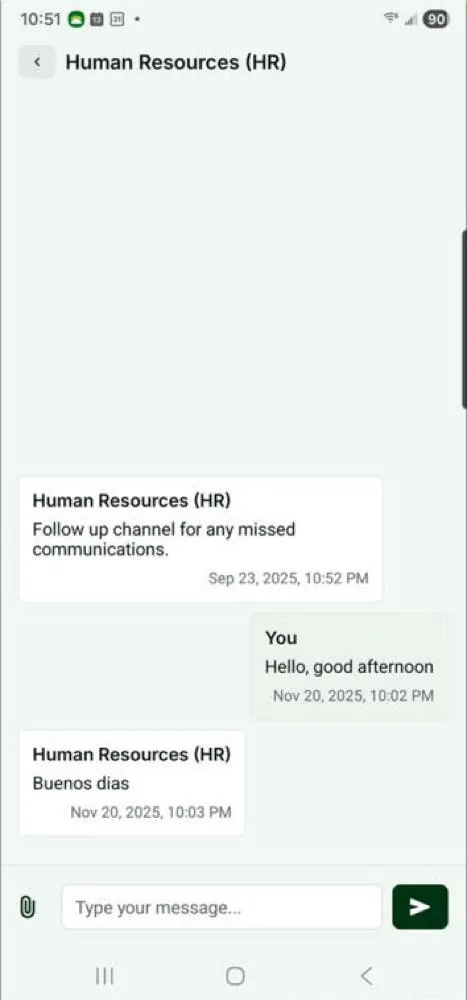
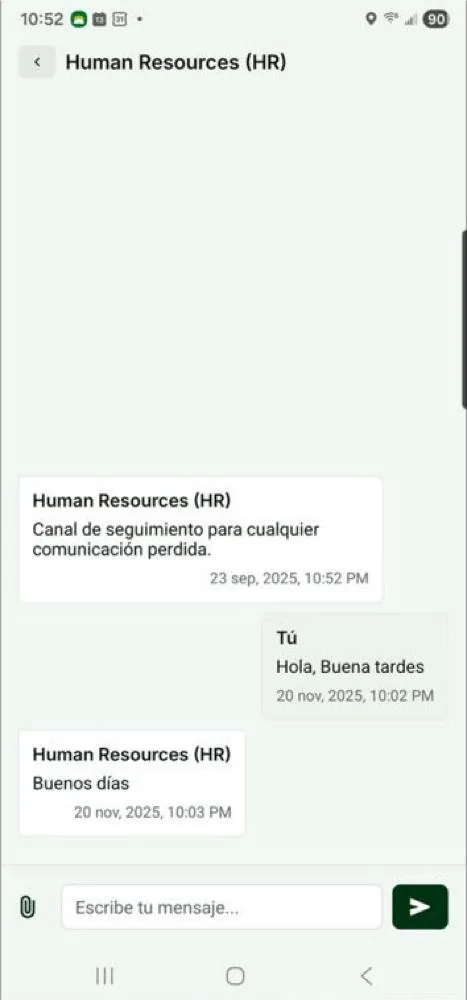
Two-way messaging between your team and your workers, translated on the fly, with WhatsApp or SMS as a backup when a message doesn’t reach the app.
What you get
Translated both ways.
Each worker has a language setting. Your team writes in English, the worker reads in Spanish or their own language, and replies come back translated.
A backup when the app doesn’t answer.
If a push notification fails, the message goes out by WhatsApp or SMS instead of getting lost.
Know it landed.
See whether each message was delivered and whether the worker has read it.
Photos and files.
Send and receive images and PDFs in the conversation. Workers can send a document photo straight from the chat.
A safe channel to speak up.
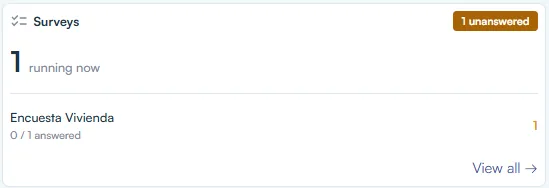
Workers can send anonymous messages that go only to the people you choose, such as HR. Run short surveys in Mi Chamba.
How it works
Step one: workers join Mi Chamba.
Their language is set on their profile.
Step two: message one worker or a group.
Translation happens on the fly. You get an email when a worker writes back.
Step three: nothing gets lost.
Delivery and read status show what reached each worker, failed pushes fall back to WhatsApp or SMS, and every conversation stays in H2 Organizer, with an archive.
What was said, and when, is on the record.
Instructions, reminders and answers live in H2 Organizer, not in someone’s personal phone or a group chat. When a question comes up later, the conversation is there, with who sent each message.
Your crew is already in the app. Talk to them there.